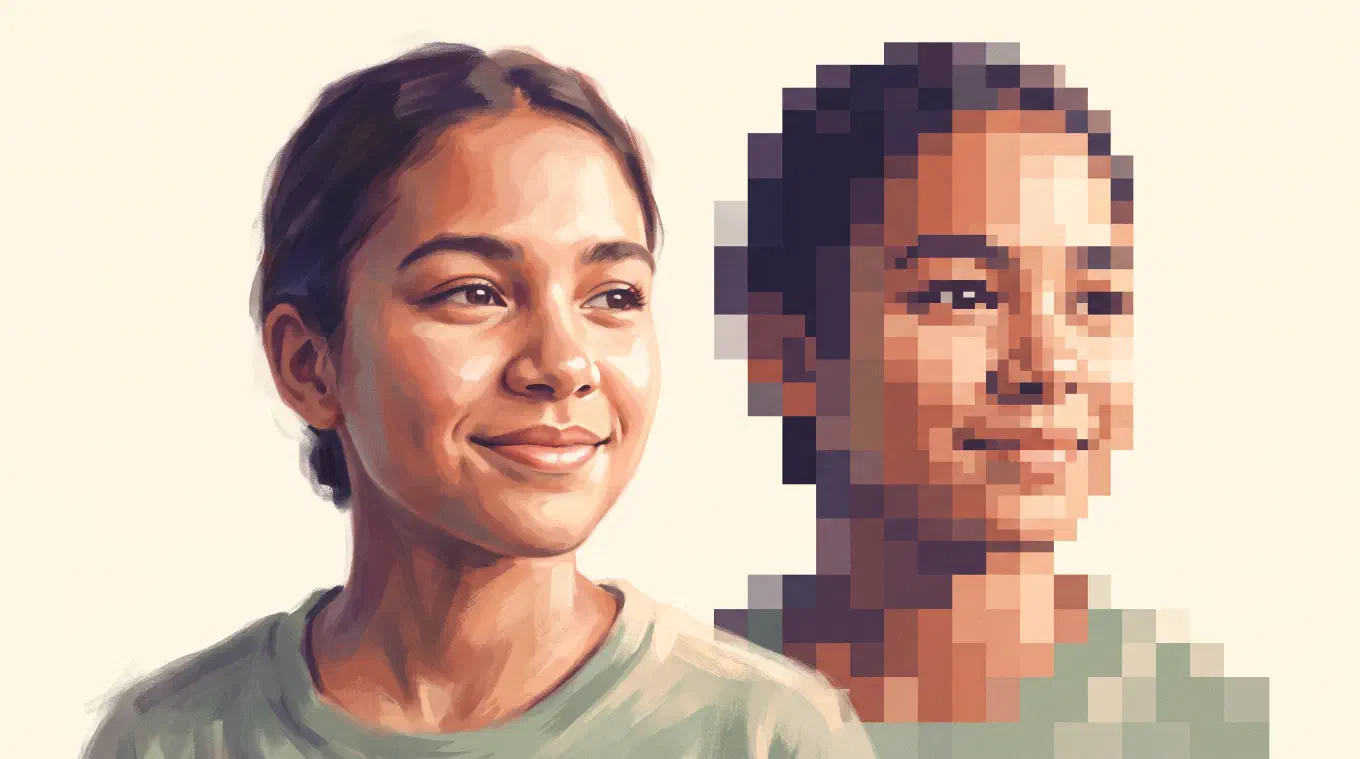
To make a pixel avatar from your photo, crop it to a square, rebuild it on a coarse grid of pixels, cut it down to a small palette, and export it clean. The one decision that matters most is to pixelate your real photo instead of letting an AI redraw it, so the avatar is still recognizably you, not a stranger a model invented. Here is how to get it right for a profile picture specifically.
An avatar, or PFP, is the small square image that stands in for you on Instagram, Discord, X, and Notion. A pixel avatar makes that square deliberate. It reads as a choice, not a cropped selfie. The craft below is avatar-specific: the square crop, the circle every platform hides behind it, the cell count that keeps a face, and the one palette that makes all your avatars match. For the full pixelation method on any image, read how to turn a photo into pixel art. This piece is about the profile picture.
Pixelate your real photo, do not let an AI redraw it
The first choice decides whether the avatar is actually you. There are two kinds of app that both call themselves a pixel avatar maker, and they do opposite things. A real pixelizer takes your photo and rebuilds it on a coarse grid, so every block is your actual face reduced to pixels. An AI generator reads your photo, detects the face, and draws a brand new pixel-style portrait that resembles you. One keeps your face. The other replaces it with a lookalike.
For a profile picture, this is the whole game. You are choosing the image that represents you to everyone who sees your name. If it is a face an AI made up, it is not your avatar, it is a character that happens to share your haircut. PixelMe, one of the best-known apps in this space, is a generator: it detects the face and creates a new pixel portrait. That is great when you want a stylized mascot and do not care that it is invented. It is the wrong tool when you want the pixel avatar to be genuinely you.
The honest test is simple. Zoom in. In a real pixelation, the blocks trace your actual features, the exact tilt of your smile, the real shape of your glasses. In a generated redraw, they trace a plausible approximation the model chose. If you want your face, pick a tool that downscales rather than generates. Koadro downscales, always, and never redraws.
Crop to a square, and expect a circle
Crop the photo to a square before you do anything else, because every major platform frames an avatar as a 1:1 square and then masks it to a circle. Discord, Instagram, and X all display the profile picture as a circle, cropping the corners of your square out of view. If you frame the shot too wide or push the face to one side, the mask eats the part you cared about.
So compose for the circle. Center the face, give it a little room at the top and bottom, and leave the four corners empty, since they will be hidden anyway. A tight, centered crop survives the circular mask on every platform at once. A larger square such as 512 by 512 pixels stays crisp when a service downscales it for a small slot, and uploading generous size never hurts, because platforms shrink an image cleanly but cannot invent detail to enlarge a tiny one.
In Koadro this is one step. The crop tool has a 1:1 square preset, so you frame the face square, and the pixelation runs on that square from there. Get the crop right first and the rest of the avatar falls into place.
Pick a cell count that keeps the face
A face needs enough pixels to still read as a face, which makes the cell count the key avatar decision. The resolution of a pixel avatar is how many cells make up the grid. Too few cells and the eyes, nose, and mouth dissolve into an abstract blob that could be anyone. Too many cells and the effect disappears, leaving a slightly blocky selfie that no longer looks like pixel art at all, which is defined by pixels you can still see with the naked eye.
The sweet spot for a portrait is the moment the face is unmistakable but the pixels are unmistakable too. Since an avatar is viewed small, in a circle a few millimeters wide in a chat list, you can push the grid coarser than you would for a large print and it still reads. Start coarse, watch the face, and add cells only until the features lock in. The instant you recognize yourself and the blocks are still obvious, stop.
The only way to find that point is to watch the image change as you move the control. Koadro redraws the preview live as you drag the resolution, so you tune the face by eye instead of exporting and guessing. The free tier gives you a real working range, and the one-time upgrade raises the ceiling for anyone who wants a finer grid.
Choose one palette and reuse it everywhere
A pixel avatar becomes a signature when it is consistent, and the palette is what makes it consistent. The palette is the small set of colors your photo gets reduced to, and it carries almost all of the mood. The same face in a cool blue set feels nothing like the same face in warm sepia. Cutting a photo down to a few colors, a step called color quantization, is exactly what turns it from a shrunk photo into deliberate pixel art.
Here is the avatar-specific move most people miss. Pick one palette and run every avatar through it. When your Instagram, Discord, X, and Notion pictures all share the same colors and the same cell count, they stop being four random images and become a set, a small visual brand that is recognizably yours across the internet. That consistency is what taste-driven creators are actually after, and it costs nothing but a decision.
Koadro gives you both routes to a palette, all free. An adaptive palette reads the colors straight out of your own photo for a natural result. Or you apply a fixed, named set like Mono, Noir, Sepia, Matcha, Nord, Dusk, Van Gogh, Ukiyo-e, or Riso, plus retro console palettes including the 16-color PICO-8 set. Lock onto one you love and reuse it. With the one-time upgrade you can save the whole recipe, palette, cell count, and all, as a preset, so every future avatar matches the last one without re-tuning it.
Export clean, with a transparent background for stickers
Export at a size comfortably larger than the slot, with crisp edges and no blur, and you have an avatar you can drop anywhere. Pixel art has to be enlarged without smoothing, or the hard blocks turn to mush, so a good tool scales it up by repeating pixels rather than blending them. Koadro exports this way by default, sharp at any size, with no watermark on any tier.
One extra trick makes a pixel avatar work as a sticker or a clean PFP. If you bring in a cutout, a PNG whose background is already removed, Koadro keeps that transparency all the way through, previews it on a checkerboard, and exports a PNG with a genuinely transparent background instead of a white box. That means the pixelated subject sits cleanly on any color a platform puts behind it, which is exactly what you want for a Discord avatar or a sticker pack. Koadro preserves the transparency your image already has, so cut the subject out first in your photo editor, then pixelate.
Make your pixel avatar in Koadro
Koadro is built to turn a photo into real pixel art, which is exactly the pixel avatar job. You pick a photo, crop it square, set the grid and the palette, and it rebuilds your actual face in pixels, with a live preview that updates as you touch any control. It never generates or redraws, so the avatar is you, block for block. Everything runs on your device with no account and no cloud upload, and it works on iPhone, iPad, Mac, and Android.
The pricing suits an avatar habit rather than fighting it. The free tier is a genuine tool, not a trial: full pixelation, the square crop, every built-in palette, dithering, and a clean, watermark-free export. Koadro Premium is a single one-time purchase, no subscription and no ads, that raises the resolution and color ceilings and adds custom palettes and saved presets for people who want to lock in one look and reuse it forever. The App Store listing puts it in four words: pay once, no subscription.
That is the real difference for anyone tired of AI apps that hand back a stranger’s face and pixel avatar makers that charge every week. Your photo, your crop, your palette, your face, made once and owned. If you want to see how the seven leading apps compare on this, read the best photo to pixel art apps. If you just want your pixel avatar, open Koadro, crop to a square, and export.