Koadro: Photo to pixel art
Any image, as real pixel art.
Koadro rebuilds any image in real pixels, in a palette you pick. What comes out is what went in.
Free to use. One-time purchase for the full range.
Koadro: Photo to pixel art
Koadro rebuilds any image in real pixels, in a palette you pick. What comes out is what went in.
Free to use. One-time purchase for the full range.
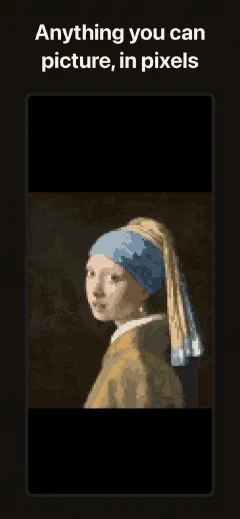
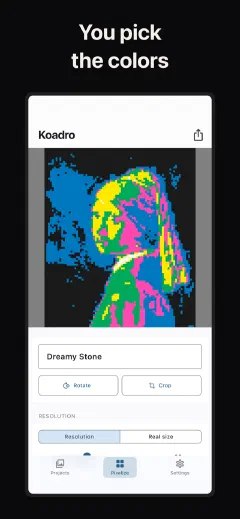
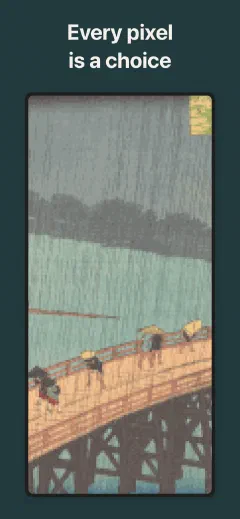
You want to turn an image into pixel art. So you try the apps. One redraws it into a generic picture in colors you would never pick. The next hits you with a weekly paywall before you can even save. A third buries the result under ads and stamps a watermark across it.
Koadro does none of that. It takes your actual image and pixelates it with honest math, a real downscale, not a guess. You choose how big the pixels are and how many colors they use.
The palette is your choice. The detail is your choice. Nothing is guessed, nothing is invented. You are not accepting what an app decided the picture should look like, you are building it, pixel by pixel, out of the image you started with.
Everything happens on your device. No account, no cloud, no ads. Pay once, and it is yours.
A machine can guess at a picture. Koadro rebuilds it, one honest pixel at a time.
Pick a photo, take one, or start from a painting, poster, or screenshot, and watch it turn to pixel art as you crop, rotate, and adjust. Real pixels from your real image.
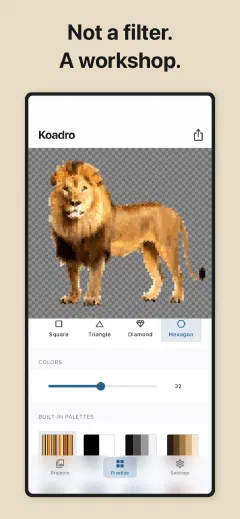
Slide the resolution and hold the color count where your eye stops. A coarse, blocky look or fine detail up to 256 cells and 64 colors. The choice is yours.
Recolor with named palettes: Mono, Nord, Noir, Matcha, Sepia, Dusk, Van Gogh, Ukiyo-e, Riso. Let Koadro read a palette straight from the image, or set your own. For the purists, CGA and PICO-8.
Turn on Floyd-Steinberg dithering, ordered, or noise when you want gradients and skin tones to melt smoothly, even in a small palette. Every texture is free.
Rebuild any image out of tessellating tiles, triangles, diamonds, or hexagons, instead of square pixels. Each tile takes the flat color of the area it covers.
Finish the art with lines to count every tile, outlines around each shape, round beads like a pegboard, or relief like glazed ceramic. Lines and outlines are free; beads and relief are Premium.
Set a real canvas and pixel size in centimeters or inches, then export a PDF that prints sharp at that true size, or a large image up to 4096px. Exact pixels, no blur.
Real control over resolution, color count, dithering, palette, and mosaic shapes. Console palettes when you want them. The output is yours, exact, and exportable.
An 8-bit look in muted palettes you choose, not the one-tap filter everyone else is using. Any image, your grain.
Turn a subject into a pixel sticker or a print piece, in your own palette. A transparent background stays transparent, so a cutout exports as a clean PNG sticker. No watermark, just the pixels.
One look across every profile: a pixel avatar in your own palette. Still one honest reduction of the photo you fed it.
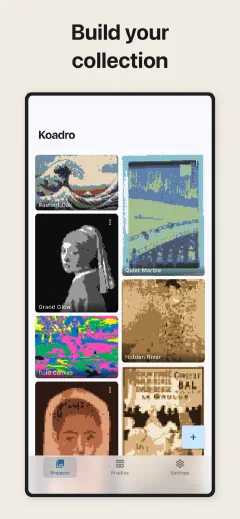
Koadro is free to download. The free version turns any image into pixel art with crop and rotate, every palette, every texture and dither, the lines and outlines effects, resolution up to 128 cells, up to 16 colors, export up to 1024px, and up to ten saved projects. It is genuinely useful, not a crippled demo.
If you want the full range, there is one option.
No subscription. No recurring charge. Pay once, and you own it outright. No ads, no watermark, ever.
Koadro has no account to create and no cloud to upload to. Your images, your pixel art, and your projects all stay on your device. They are never sent to us, because we have no server to send them to.
To keep the app working well, Koadro sends anonymous usage statistics and crash reports, no images, no account, no way to identify you. A message reaches us only when you choose to send one from the feedback form. You can read exactly what leaves the device on our privacy page.
We built Koadro this way on purpose. Your photos are personal. They should stay that way.
Still have a question? Get help →
Free on iOS, Android, iPad, and Mac.