The best color app for most artists is Undertone, because it answers the question behind most color searches: why does this reference work, and what do I need to paint it? It shows the palette with proportions, the harmony, a temperature map, and value structure. For mixing recipes, use ArtistAssistApp. For a color wheel, Color Wheel. For notan, NotanIzer.
The useful way to choose a color app is to invert the usual question. Do not ask which app is best. Ask which job you are hiring it for, then avoid every app built for a different job. A color mixing app, a color wheel, a palette picker, a value finder, and a color analysis app look similar in a store and do completely different things. Most disappointing downloads come from that confusion. Below, the best apps for each job, with what they do well and where they stop. We checked every listing, price, and feature in October 2026.
The five jobs a color app can do
Painters reach for a color app for five different reasons, and each one has its own best tool.
- Mixing. You have a target color and want to know which paints to mix to hit it.
- Color wheel and harmony. You want to plan a color scheme or understand why colors work together.
- Picking colors and palettes from a photo. You want the colors out of an image, as swatches or codes.
- Value and notan. You want to see the light and dark structure without the distraction of color.
- Full analysis of a reference. You want all of it at once: palette, harmony, temperature, and value, so you understand an image before you paint it.
No single app does all five well. The rest of this article takes them one at a time, starting with the one we build, because analysis is the job most painters actually need first.
Undertone, the best color analysis app for artists
Undertone is a color analysis app for painters, photographers, and designers. You take a photo or pick one from your gallery, and it shows the color structure underneath the image. It is the strongest pick for most artists because it covers the analysis that every other job depends on: before you mix a color, you need to know which colors matter, how much of each there is, and where the warm, the cool, the lights, and the darks sit.
What Undertone shows for every image:
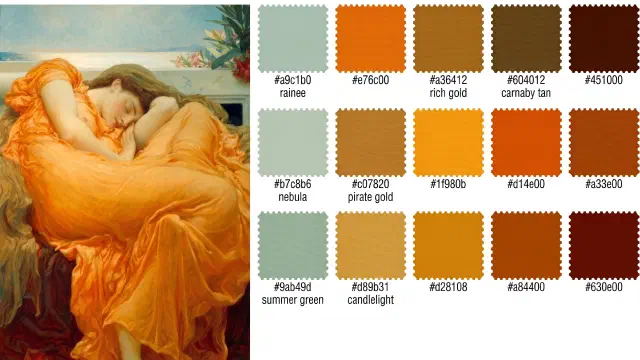
- Palette with proportions. The dominant colors, sized by how much of the image each one occupies, and labeled with the nearest named pigment, such as Yellow Ochre or Payne’s Gray. Tap a swatch to see its share of the image and its HEX, RGB, and HSL values, ready to copy, plus its complementary color. Tap a color in the palette and the image shows you where it appears.
- Harmony. The palette plotted on a color wheel and named: complementary, analogous, triadic, split complementary, tetradic, square, or monochromatic. It names the closest of the seven and shows you the geometry on the wheel.
- Temperature. A map of where the image leans warm and where it leans cool. This is the view that explains muddy shadows and flat light, and the reason many painters download the app. Our guide to color temperature for painters explains how to use it.
- Values. The image stripped of color and divided into tonal zones, the light and dark structure a painting is built on.
- Saturation. A map of where color is vivid and where it is muted.
- Composition and Contrast (Premium). Composition overlays guides such as the rule of thirds, the golden ratio, dynamic symmetry, and leading lines on your image. Contrast marks where the eye lands first.
- Color Identity. Across all your analyses, the colors you keep coming back to, and the images each one came from.
The free version is a working tool, not a trial: Original, Temperature, Values, and Saturation, plus the palette and harmony for every image, with a limited history. Premium is a one-time purchase, no subscription, and adds Composition, Contrast, tinted value bands with a slider for the number of tonal steps, unlimited history, and full-resolution export. All analysis runs on your device. There is no account, and your images are never uploaded.
Platforms: iPhone, iPad, and Mac (App Store) and Android (Google Play). Price: Free, with a one-time Premium upgrade. No subscription. Best for: Painters who want to understand a reference before they mix a single color. The honest catch: Undertone does not give mixing recipes, it does not have an eyedropper for sampling one exact pixel, and it does not generate new palettes. It reads the color that is already in an image. If your question is “which tubes make this green,” pair it with a mixing app from the next section.
The best color mixing apps for artists
A color mixing app takes a target color and suggests which paints to combine to reach it. This is the most searched job and the hardest one, because a screen and a palette mix color in opposite ways. A screen adds light, so averaging blue and yellow on a computer gives a dull gray. Paint absorbs light, so blue and yellow pigment make green. The serious mixing apps model real pigment instead of screen color, usually with the Kubelka-Munk theory of how light scatters and absorbs inside paint, the same approach behind the Mixbox pigment mixing library.
ArtistAssistApp is the best free choice. It runs in any web browser on a phone, tablet, or computer, and installs for offline use. Tap a point on your reference photo and it finds the closest color in your own set or gives a step-by-step mix, using what its FAQ describes as an empirical model based on Kubelka-Munk theory. It covers watercolor, gouache, acrylic, oil, colored pencils, and pastels, and also makes tonal value sketches. All image processing happens locally in your browser. The free version allows one brand per medium. A $5 a month Patreon membership unlocks over 200 brands and more than 15,000 colors. The catch: it is a web app, not a store app, which suits some painters and not others.
Real Paint mixing tools PRO is the strongest native mixer on iPhone and iPad. Pick a color in your own image and it computes an opaque paint recipe for 25 commercial brands, including Winsor & Newton, Golden, Gamblin, and Schmincke. The free version is limited to an ideal eight-color set, and the brand sets need a subscription, from $2.99 a month to $17.99 a year. Its listing is refreshingly honest that a large part of the screen’s color space can be mixed with paint, but not all of it, “just physics.”
Color Study by BrushLabs combines a precise color picker with paint mixing guidance for opaque paints, plus value maps, temperature maps, and notan. It is on iPhone, iPad, Mac, and Android, and holds a 4.9 rating across more than 500 App Store ratings. The picker is free. Mixing guidance and the analysis maps are part of a subscription.
Real Color Mixer is a free mixing sandbox on Android and iOS with over a million downloads on Google Play. It simulates subtractive paint mixing from a library of 430 colors, has a Find Mixture tool to reverse engineer a target color, and an eyedropper for photos. It shows ads.
A fair warning that applies to all of them: a recipe from an app is a starting point, not a guarantee. The same pigment varies between brands, and a color picked from a photo already includes the camera’s exposure and white balance. Mix the suggestion, then correct by eye.
The best color wheel apps for artists
A color wheel app shows hues in a circle so you can see which colors are complementary, analogous, or triadic, and plan a scheme around them. If you want the theory first, our guide to color harmony and the seven color schemes covers it.
Color Wheel by Roman Sevastyanov is the best dedicated wheel on iPhone and iPad. It offers a digital wheel, a classic wheel, and an abstract wheel, with harmony generators, color extraction from the camera or a photo, and grayscale and value tools. It costs $3.99 once, with no in-app purchases, and holds a 4.8 rating across more than a thousand ratings. Apple only.
Pocket Color Wheel is the classic choice on Android. It uses the red, yellow, blue wheel painters learn on, previews mixes on the wheel, shows tints, tones, and shades, and includes a gray scale and a glossary of color terms. It is free with ads and has over 100,000 downloads.
Procreate’s Harmony panel is the right answer if you already paint on an iPad. It builds complementary, split complementary, analogous, triadic, and tetradic schemes from your current color, inside the app where you paint. Procreate is $12.99 on the App Store.
Adobe Color is the best free wheel on the web, now presented as part of Adobe Express. It builds palettes on a wheel, extracts palettes and gradients from images, and checks contrast. It is free to use. Adobe notes that automatically applying palettes to designs requires a paid plan.
A wheel helps you plan color. It does not tell you which harmony a reference you love already uses. That is the opposite direction, reading the wheel from an image, and it is what Undertone’s harmony view does.
The best apps to pick colors and build a palette from a photo
A color picker app pulls colors out of an image as swatches and codes. The question to ask is what you will do with them. Designers need exact codes for screens. Painters need to know which colors dominate and which are accents, because that is what decides how much of each to mix.
Undertone builds the palette by weight: the color that fills most of the image gets the biggest swatch, and each one carries a pigment-style name and copyable HEX, RGB, and HSL values. It extracts the dominant colors rather than any pixel you touch, which is what painters planning a mix usually need. For a deeper comparison with design tools, read the best color palette app for painters.
Adobe Capture turns the camera on any scene into a color theme for Adobe apps. It is free on iPhone and iPad, with a 4.8 rating across more than 24,000 ratings. Its last App Store update was in November 2023, and we could not find it on Google Play in the US.
Coolors is the fastest palette generator on the web, with a picker that pulls colors from a photo. The free plan saves up to 10 palettes, and Pro removes ads and limits. It is built for designers, and its iOS app was last updated in September 2022.
Adobe Color’s Extract Palette, covered above, does the same job for free in a browser.
If what you want is a color from the photo and the recipe to mix it, skip this category and use a mixing app from the section above. ArtistAssistApp and Real Paint mixing tools both pick from a photo and give the mix.
The best value finder and notan apps
A value finder app turns a reference into grays so you can judge how light or dark each area is, and a notan app reduces it to just two values, light and dark, to test the design. Values carry the structure of a painting, which is why painters plan them first. Our guides cover how to do a value study before you paint and how many values a study needs.
Value Study is the most complete dedicated value app, with a 4.8 rating across more than 3,000 App Store ratings. It breaks an image into an adjustable number of tones, highlights every area that shares a tone, combines values to simplify, and adds a grid and a histogram. You can try every feature free on sample images, then unlock it for $6.99 a year or $9.99 once. It runs on iPhone, iPad, and Mac, and on Android.
NotanIzer is the simplest notan app and one of the oldest. It splits an image into black and white at a threshold you move with a slider, and adds grayscale and three to ten level views. It is $1.99 on the App Store, with no in-app purchases, and it is also on Google Play.
Undertone’s Values view is free and divides the image into tonal zones next to its temperature and palette, so you see value in the context of color. Premium adds a slider for the number of tonal steps and value bands tinted in the image’s own colors.
Two notes before you search. An app named simply Notan exists on both stores, and it is a student grade calculator, not an art tool. And if you are wondering whether you still need the old red filter, painters in a WetCanvas discussion of red lens glasses point out that a red lens changes values as it simplifies them, making reds read lighter than greens, while a phone’s grayscale does not. The red filter is still quick for judging relationships. An app is more accurate.
All-in-one color analysis apps, compared
Three apps try to cover more than one job. Here is how they differ for a painter.
| Undertone | Color Study (BrushLabs) | ArtistAssistApp | |
|---|---|---|---|
| Palette sized by proportion | Yes, free | Not listed | Not listed |
| Harmony on a color wheel | Yes, free | Not listed | Not listed |
| Temperature map | Yes, free | Yes, subscription | Not listed |
| Value and notan | Values free, adjustable steps in Premium | Value maps and notan, subscription | Tonal value sketches, free |
| Paint mixing recipes | No | Yes, subscription | Yes, one brand per medium free |
| Precise color picker | No, extracts the dominant colors | Yes, free | Yes, tap any point |
| Composition guides | Yes, Premium | Not listed | Not listed |
| Format | Native app | Native app | Web app, installable |
| Pricing | Free, one-time Premium | Free core, subscription | Free, $5 a month on Patreon |
| Platforms | iPhone, iPad, Mac, Android | iPhone, iPad, Mac, Android | Any modern browser |
“Not listed” means the feature does not appear on the app’s own store listing or website as of October 2026.
The short reading: Undertone is the analysis app, built to explain a reference, with a free temperature map, a palette weighted by proportion, and harmony read from the image. Color Study is the closest overall rival and the one to choose if mixing guidance inside the same app matters more to you than a one-time price. ArtistAssistApp is the free, browser-based workbench for painters who mostly need recipes.
How to choose
Start with the job, then work backwards from what you will refuse to put up with.
If you need a recipe for a specific color, get a mixing app: ArtistAssistApp for free on any device, Real Paint mixing tools PRO on iPhone and iPad. If you want to plan a scheme, get a wheel: Color Wheel on Apple devices, Pocket Color Wheel on Android, or Procreate’s Harmony panel if you already own Procreate. If you only need values or notan, NotanIzer is $1.99 and Value Study is the deeper tool.
If you want to understand why a reference works, its palette, harmony, temperature, and values together, before you mix anything, that is Undertone. It is the app we would install first, because every other job goes better once you can see the structure you are painting. For the method behind it, see how to do a color study.
Try Undertone free on iPhone, iPad, and Mac or on Android. Point it at the reference you are about to paint.